lang.lang_save_cost_and_time
Help you save costs and time.
lang.lang_RPFYG
Provide reliable packaging for your goods.
lang.lang_fast_RDTST
Fast and reliable delivery to save time.
lang.lang_QPASS
High quality after-sales service.
blog
17 December 2025
Lab measurements and the Si53340 family datasheet report typical output jitter as low as ~50 fs — a key stat that makes the SI53340-B-GM a go-to LVDS clock buffer for high-performance timing chains. Pointthis report focuses on a concise, testable performance breakdown for the device; Evidencedevice characteristics include a frequency range up to 1.25 GHz, supply 1.71–3.63 V, and four LVDS outputs; Explanationthe following sections present actionable metrics, measurement methods, bench comparisons, and integration guidance to preserve low jitter in production. Pointreaders will get reproducible test methods and pass/fail thresholds. Evidencethe article synthesizes datasheet typicals and practical bench observations (jitter, phase noise, supply sensitivity). Explanationuse the measurement checklist and PCB/power rules provided to validate SI53340-B-GM performance in your system. 1 — Product Overview & Key Specs (background) Device summary & intended applications Pointthe SI53340-B-GM is a compact, purpose-built LVDS clock buffer with integrated mux and fanout. Evidenceit ships in a QFN-16 package, implements a 21 input mux and 14 LVDS fanout, and targets redundant clocking and distribution for FPGA/ASIC systems. Explanationfor designers the part is ideal where low-noise, glitchless switching and multiple LVDS outputs are required—common uses include redundant clock trees, high-speed SerDes reference distribution, and multi-receiver timing domains. PartPackageInputsOutputsMax freq SI53340-B-GMQFN-162 (mux)4 LVDS1.25 GHz Electrical & environmental envelope Pointthe device supports a broad supply and temperature envelope for production boards. Evidencetypical operating supply range is 1.71–3.63 V and rated temperature is −40 to 85 °C; built-in LDO/PSRR features are documented for improved supply immunity. Explanationthese specs mean designers can run the part from common 1.8 V or 2.5 V rails, expect defined operation across industrial temperatures, and rely on on-chip PSRR to reduce supply-coupled jitter—though external decoupling and optional LDOs remain important for tight phase-noise budgets. Datasheet vs. typical lab values Pointdatasheet typicals set expectations; system reality creates variance. Evidencethe datasheet lists ~50 fs typical output jitter under controlled conditions; Explanationin production systems expect higher worst-case jitter due to board-level noise, input clock source quality, and loading. Designers should budget margins (for example 2–3× the datasheet typical) and qualify parts across supply, temperature and lot variation before release. 2 — Core Performance Metrics & Measurement Methods (data analysis) Jitter metrics to report (RMS, TIE, period jitter, cycle-to-cycle) Pointa compact set of performance metrics gives a complete jitter picture. Evidencereport RMS jitter, TIE (time-interval error) with plots, period jitter, and cycle-to-cycle jitter as baseline performance metrics. ExplanationRMS shows integrated noise, TIE reveals long-term wander and deterministic effects, period jitter highlights per-cycle timing noise relevant to SERDES, and cycle-to-cycle exposes immediate timing transitions—together they form the performance metrics engineers use to set system tolerances and acceptance thresholds. Phase noise & spectral analysis Pointphase-noise plots link spectral content to integrated jitter. Evidencesingle-sideband phase noise vs. offset frequency and integrated jitter vs. bandwidth (for example 12 kHz–20 MHz) should be presented. Explanationlow-frequency noise inflates TIE while high-offset noise dominates integrated RMS; choosing integration ranges (12 kHz–20 MHz typical) makes reported RMS comparable to datasheet numbers and helps identify whether close-in noise or far-out spurs cause jitter issues. Measurement setup & repeatability checklist Pointrigorous setup prevents measurement artifacts. Evidenceuse a phase-noise analyzer or high-bandwidth DSO with jitter analysis, matched impedance cabling, proper termination, and low-capacitance probes; control supply filtering and input-source purity. Explanationpractical steps include calibrating instruments, averaging multiple captures, using nominal 100 Ω differential termination for LVDS, keeping traces short during probing, and logging ambient temperature—these raise repeatability and reduce false positives when evaluating SI53340-B-GM jitter performance. 3 — Bench ResultsTypical & Worst-Case Scenarios (data analysis / comparisons) Typical lab results (what to plot) Pointpresent a concise result set for validation. Evidencerecommended outputs are RMS jitter (integrated 12 kHz–20 MHz), period jitter, phase-noise plot, propagation delay, and output amplitude/symmetry. Explanationcombine a table comparing datasheet typicals vs. measured values, jitter histograms, and receiver eye diagrams downstream; these visualizations help correlate buffer performance with system link margin and validate claims of low jitter on the bench. Supply, temperature, and load sensitivity (worst-case) Pointcharacterize sensitivity envelopes to define pass/fail limits. Evidencesweep Vcc across 1.71–3.63 V, ambient from −40 to 85 °C, and vary output load capacitance/CL; record delta in RMS jitter and propagation delay. Explanationacceptable deltas might be Comparison vs. peer parts / common alternatives Pointevaluate tradeoffs against 1–2 competitive buffers. Evidencea compact comparison table should show jitter, frequency range, supply, outputs, and features (glitchless mux, PSRR). Explanationtradeoffs typically center on cost vs. phase-noise performance and integration features—choosing SI53340-B-GM favors systems that prioritize low jitter and glitchless failover over the absolute lowest BOM cost. PartRMS Jitter (typ)FreqSupplyNotes SI53340-B-GM~50 fs≤1.25 GHz1.71–3.63 V21 mux, 14 LVDS, glitchless Peer A100–200 fs≤1.5 GHz1.8–3.3 Vlower cost, fewer features 4 — Integration & System Design Guidance (method/guideline) PCB layout, grounding, and decoupling best practices Pointlayout dominates real-world jitter. Evidenceshort differential LVDS traces, controlled impedance (100 Ω differential), and a solid ground plane reduce common‑mode conversion and EMI. Explanationplace decoupling (100 nF ceramic + 1 µF tantalum) within 5 mm of the supply pins, route clock outputs away from noisy power domains, implement star returns for sensitive clock domains, and keep the input mux traces symmetric to preserve phase and amplitude balance. Power supply & filtering recommendations Pointsupply noise directly translates to phase noise. Evidenceuse a filtered local LDO or pi-filter and place test points near the device to quantify supply ripple impact. Explanationa recommended arrangement is bulk capacitance on the board rail, a ferrite bead feeding an on-board LDO, and multiple ceramics at the device pins—this improves PSRR effectiveness and reduces supply-coupled jitter when validating SI53340-B-GM on production PCBs. Redundancy, mux switching & glitchless operation tips Pointverify failover behavior for system reliability. Evidencethe 21 input mux supports glitchless switching (as specified); Explanationtest failover by stepping the primary input to zero amplitude while observing outputs for transitions and measuring TIE before/after; include automated FPGA/ASIC test vectors that switch inputs and validate downstream lock/recovery to ensure robust redundancy in deployment. 5 — Actionable Checklist & Deployment Considerations (case study / action) Production test criteria & go/no-go thresholds Pointdefine pass/fail limits for QA. Evidenceexample thresholds—RMS jitter (12 kHz–20 MHz) Troubleshooting common issues Pointmap symptoms to root causes and fixes. Evidenceelevated jitter often maps to supply noise, poor layout, or low-quality input source; asymmetry commonly stems from improper termination. Explanationquick verification steps include replacing input source with a known low-jitter reference, adding local decoupling/LDO, and confirming 100 Ω differential termination—these isolate board issues from part-level failure when using SI53340-B-GM jitter performance tests. Cost, sourcing & lifecycle notes Pointplan procurement and alternate sourcing to avoid schedule risk. Evidenceconsider lead times and authorized distributor channels and evaluate programmable alternatives when flexibility or stock is constrained. Explanationselect SI53340-B-GM when jitter performance and glitchless features justify potential premium; maintain an alternate BOM entry with a similar buffer family to mitigate supply chain variability. Summary Pointthe device delivers ultra-low jitter LVDS buffering with practical system considerations. EvidenceSI53340-B-GM provides ~50 fs typical jitter, glitchless 21 mux behavior, and 14 fanout to 1.25 GHz; Explanationwhen paired with disciplined PCB layout and supply filtering, the part meets demanding timing chains—use the measurement checklist and design rules below to preserve performance through production. Ensure tight layout and decouplingshort LVDS traces, 100 Ω differential impedance, local ceramics + 1 µF bulk to protect performance metrics. Verify jitter with phase-noise integration (12 kHz–20 MHz) and report RMS/TIE and histograms for production sampling. Validate redundancyperform glitchless mux failover tests and automated FPGA lock recovery to confirm system reliability. Adopt a two-tier production flowquick functional checks on all units and periodic deep jitter/phase-noise sampling to catch assembly-induced issues. Frequently Asked Questions What are the critical SI53340-B-GM jitter performance test steps? Pointa compact, repeatable test sequence reduces variability. Evidencesteps should include instrument calibration, differential termination, low-noise input reference, and phase-noise integration over 12 kHz–20 MHz to match datasheet baselines. Explanationcapture RMS jitter, TIE plots, and a phase-noise trace; average multiple acquisitions and log supply voltage/temperature. This sequence helps differentiate part behavior from board and measurement artifacts. How sensitive is SI53340-B-GM to supply noise and layout? Pointsupply noise and layout have measurable impact on jitter. Evidenceon-chip PSRR helps, but external filtering and proximity decoupling remain crucial—poor layouts can multiply datasheet jitter by several times in worst cases. Explanationplace LDO and decouplers close to the device, use ferrite beads or pi-filters where appropriate, and ensure a continuous ground plane; measure supply ripple at the part during noise injection to quantify sensitivity. Can I verify glitchless mux operation for SI53340-B-GM in a bench test? Pointfailover verification confirms redundancy claims. Evidenceperform controlled input switch tests from primary to secondary while monitoring output TIE and eye diagrams at downstream receivers. Explanationassert the secondary input, then remove or mute the primary and observe output continuity; a true glitchless transition shows minimal phase disturbance and rapid downstream lock—record these traces as part of integration acceptance.
SI53340-B-GM: Deep Performance Report & Key Metrics
15 December 2025
As of writing (current distributor snapshots), SI53361-B-GMR shows broad availability across major US distributors with typical unit prices ranging from about $2.49 to $3.50 — making it a cost-effective option for clock distribution in many designs. This data-driven overview dives into the SI53361-B-GMR specs, current stock trends, and practical buying guidance so engineers and buyers can decide quickly and confidently. PointThe following guide synthesizes distributor listings, vendor datasheet highlights, and bench-practice recommendations to give US-based procurement and engineering teams a concise, actionable view. Evidencedistributor inventory listings (Digi‑Key, Mouser, Arrow, Win‑Source, UTmel) and vendor product pages inform the stock and package details cited below. Explanationreaders should use the checklist and test-plan here alongside timestamped distributor snapshots for procurement records and lifecycle checks. 1 — Product BackgroundWhat the SI53361-B-GMR Is and Where It Fits Key function and target applications PointThe SI53361-B-GMR is a compact 28 clock buffer/multiplexer (clock fanout) designed for low jitter and low skew board-level distribution. Evidencevendor part descriptions and family documentation describe a small-footprint 16‑VFQFN package with exposed pad and typical operating frequencies up to 200 MHz. Explanationthis combination—multiple buffered outputs, low timing error, and a thermally enhanced VFQFN package—makes the device suitable for networking, telecom, storage controllers, and FPGA/SoC clocking where deterministic timing and small BOM cost are priorities. Manufacturer history & part family context PointThe SI53361 sits within the Si5336x family lineage and is offered under Silicon Labs / Skyworks Solutions branding in distribution channels. Evidenceproduct pages and cross-references at major distributors show both Silicon Labs and Skyworks listings for Si53361 variants. Explanationcompared with other Si5336x parts the SI53361 variant focuses on a 2-input, eight-output topology with a particular power profile and package choice; designers should compare channel count, input mux flexibility and programmable features across the family when choosing alternatives. Compliance, thermal & lifecycle considerations PointCompliance flags, thermal-pad practices and lifecycle status checks are essential before committing to production. Evidencedistributor product pages and the vendor datasheet indicate RoHS/lead‑free flags and standard ESD notices; the exposed‑pad VFQFN requires recommended soldering and via patterns for thermal dissipation. Explanationdesigners should confirm RoHS and ESD protection statements on the distributor page, follow recommended exposed‑pad soldering and thermal via arrays on the PCB, and validate part lifecycle (active vs last‑time‑buy risk) via the manufacturer's product status table before volume buys. 2 — SI53361-B-GMR Technical SpecsPinout, Electrical & Timing (Specs) Electrical characteristics & recommended operating conditions PointTypical operating conditions center on a 3.3 V supply and LVCMOS logic levels; decoupling and VCC sequencing guidance reduces risk. Evidencedatasheet summaries and distributor specification snippets identify 3.3 V nominal operation, LVCMOS outputs and recommended decoupling near power pins. Explanationfollow standard practice—place 0.1 µF ceramic decouplers at each VCC pin plus a bulk 1–10 µF on the board, sequence supplies per datasheet notes, and avoid exceeding absolute maximums shown in the thermal/electrical tables to prevent damage. For exact current consumption and worst‑case figures consult the datasheet for idle vs toggling current in your output loading scenario. Timing performancejitter, skew, and propagation delay PointThe SI53361-B-GMR emphasizes low jitter and tight output-to-output skew to simplify system timing budgets. Evidencevendor timing tables report low RMS jitter (device-config and measurement‑method dependent) and skew values suited to board‑level fanout. Explanationinterpret vendor jitter figures as device contribution; design-level jitter budgets must include source PLL jitter, board crosstalk, and measurement setup. Measure timing with high‑bandwidth instruments, and treat vendor numbers as the starting point for margin calculations. Pinout, package and layout guidance PointCorrect footprint, exposed pad soldering and routing strategy materially affect thermal and electrical performance. Evidencethe 16‑VFQFN package map highlights critical pins (inputs, outputs, OE, VCC, GND, EP) and board‑layout notes in vendor documents. Explanationimplement a ground plane under the device, add thermal vias in the exposed pad area (staggered to ease solder wicking), route high‑speed clock outputs with controlled impedance and matched lengths where required, and include accessible test points for critical clocks to simplify lab validation and in‑line testing. 3 — SI53361-B-GMR Stock & Price AnalysisCurrent Distributor Data (Stock) Snapshot of distributor availability & price range PointDistributor snapshots at the time of this writing show widespread availability and a unit‑price band near $2.49–$3.50. Evidencelistings at major US distributors (Digi‑Key, Mouser, Arrow) and specialized resellers (Win‑Source, UTmel) report stock or obtainable lead‑times with unit pricing in the stated range. Explanationfor procurement, capture timestamped screenshots or API pulls of these listings to document price/availability at order time and include transaction references in the purchase order for traceability. Distributor Availability MOQ Typical Unit Price Lead Time Digi‑Key In stock (varies) 1 $2.49–$3.10 Immediate where shown Mouser In stock / limited 1 $2.75–$3.30 Immediate or short Arrow Stock / alternative sourcing 1–10 $2.60–$3.50 Varies Specialized resellers Available (check authenticity) Varies $2.50–$4.00 Check seller Trend analysis & lead-time signals PointShort-term replenishment, quoted long lead times, and price movements give signals for buying strategy. Evidencerepeated snapshot comparisons and distributor lead‑time notes indicate whether stock is vendor‑backed or channel stock. Explanationif multiple authorized distributors show short lead times and in‑stock quantities, spot buys are low risk; if supply shifts to long lead times or grey‑market listings with premium pricing, plan multi‑quarter buys and engage sales for firm quotes and allocation. Sourcing riskscounterfeits, grey market, and obsolescence PointClock ICs are not immune to counterfeiting and grey‑market risks; verification protects production. Evidencereseller listings (especially on secondary markets) sometimes omit certificate of conformance or show inconsistent markings. Explanationprefer authorized distributors, request lot traceability and COA, inspect received parts for consistent markings and packaging, and reject units lacking datasheet references or visible lot codes. Consider last‑time‑buy scenarios and identify compatible substitutes early to mitigate obsolescence risk. 4 — Integration & Test GuideHow to Validate SI53361-B-GMR in Your Design (Method/How-to) Recommended evaluation setup and test plan PointA concise eval setup reduces integration riskhigh‑bandwidth scope, low‑noise supply, proper terminations and fixtures. Evidencepractical lab experience and vendor evaluation recommendations indicate a minimum bench set of a 1 GHz+ scope, 50 Ω terminations, and a clean 3.3 V supply. Explanationchecklist the hardware—oscilloscope with time‑interval error (TIE) capability for jitter, appropriate probes (low‑capacitance active probes if needed), and controlled‑impedance traces on the eval PCB. Run a planned sequencevisual/continuity checks, power sequencing, basic functional verification, then jitter/skew characterization under expected load. Common configuration options and register settings PointThe SI53361 offers OE control and input‑muxing choices for redundancy and fanout flexibility. Evidenceregister map excerpts and application notes describe OE behavior and input selection practices. Explanationimplement OE pin logic to control outputs during power sequencing or hot‑swap events, and use the input mux to establish primary/secondary clock failover. For programmable features consult the register map to set output enable patterns and drive-strength options as needed. Troubleshooting checklist PointA short troubleshooting checklist speeds root cause isolationpower rails, decoupling, probe loading, and clock input quality. Evidencecommon failure modes documented in vendor QA notes and bench experience include missing outputs due to incorrect VCC or EP soldering, and degraded jitter from poor grounding. Explanationverify each power rail with scope/probe, confirm EP solder and via connections, inspect decoupling placement, check input amplitude and duty cycle, and rule out probe loading or routing crosstalk before concluding part failure. 5 — Buying Playbook & Next StepsProcurement Checklist and Recommendations (Case & Action) Short buying checklist (ready-to-paste for procurement) PointA concise, copy‑pasteable checklist accelerates purchasing accuracy. Evidencecombining distributor listing practice with procurement best practices yields this checklist. Explanationinclude exact part (SI53361-B-GMR), package (16‑VFQFN, exposed pad), temperature grade, RoHS requirement, MOQ, preferred distributors, request COA and lot traceability, order 5–10 test samples before volume buy and capture timestamped distributor pages for records. Negotiation & volume pricing strategies PointPrice vs lead time tradeoffs can be negotiated by bundling, firm quotes, or multi‑quarter commitments. Evidencedistributor quoting behavior and sales practices show reduced unit price for volume commitments or extended lead‑time acceptance. Explanationrequest firm quotes with valid‑through dates, negotiate price breaks at realistic volume tiers, and consider consolidating buys across a family of parts to improve leverage. If supply is constrained, evaluate close substitutes within the Si5336x family for C‑class substitution after compatibility checks. Post-purchase verification & inventory best practices PointReceiving inspection, test‑program verification and inventory controls reduce production risk. Evidencestandard incoming inspection and traceability procedures applied to timing ICs catch mismatches early. Explanationon receipt, verify label and lot against PO, run the part through a short functional test (OE, output levels, frequency), label and store per shelf‑life recommendations, and set reorder triggers based on BOM criticality and distributor lead‑time to maintain a safety stock. Summary SI53361-B-GMR is a compact 28 clock buffer with low jitter and low skew, offered in a 16‑VFQFN exposed‑pad package—well suited for board‑level clock distribution in networking, storage, and FPGA/SoC systems. Current US distributor snapshots indicate broad availability with typical unit pricing around $2.49–$3.50; capture timestamped listings for procurement records and lifecycle checks. Follow PCB exposed‑pad soldering, thermal‑via, decoupling and routing best practices; verify timing with a high‑bandwidth scope and run a short functional test before volume deployment. Procurement checklistuse exact part number, request COA/lot traceability, order test samples, and negotiate firm quotes for volume buys to manage price and lead‑time risk. FAQ — Where to buy SI53361-B-GMR in stock? PointAuthorized distributors are the primary sources; specialized resellers may offer immediate stock but require vetting. Evidencemajor US distributors routinely list SI53361 family parts and show stock/lead‑time details. Explanationprioritize Digi‑Key, Mouser and Arrow for traceability and COA; if using a smaller reseller request lot traceability and inspect packaging and markings on receipt to avoid counterfeit or grey‑market risks. FAQ — What specs should I verify from the SI53361-B-GMR datasheet? PointVerify supply voltage, IO logic levels, jitter/skew figures, thermal pad recommendations and absolute maximum ratings. Evidencedatasheet sections list operating conditions, timing tables and PCB recommendations. Explanationuse the datasheet numbers for exact current consumption, recommended decoupling, VCC sequence and thermal via counts; if any datasheet note is unclear, request clarification from the vendor or distributor technical support before production. FAQ — How to validate jitter and skew for SI53361-B-GMR in my system? PointUse a high‑bandwidth scope or jitter analyzer, proper termination, and repeatable fixtures to measure device contribution. Evidencelab best practices and vendor measurement notes emphasize instrument bandwidth, probe selection and averaging. Explanationensure scope bandwidth ≥3× maximum signal frequency (1 GHz recommended for 200 MHz clocks), use low‑capacitance probes, measure TIE or RMS jitter with repeatable fixtures, and factor fixture/board contributions into the system jitter budget when comparing to datasheet figures.
SI53361-B-GMR: Latest Specs, Stock Levels & Price Guide
13 December 2025
PointSI53307-B-GMR listings and EDA libraries are available in 20+ CAD formats and stocked across major distributors — making fast prototype iteration possible without long lead times. Evidencedistributor catalogs (Mouser, Digi‑Key, Arrow) and the Si5330x family data sheet confirm broad format support and multiple vendor listings. Explanationthis article is a concise, actionable checklist to extract headline specs from the datasheet, find and validate CAD models, and avoid the common PCB/CAD pitfalls that delay first prototypes; it assumes the reader has access to the official datasheet and parts listings for verification and ordering. PointThe goal is practicalgive engineers a step‑by‑step extraction and validation flow for both electrical and mechanical attributes, plus procurement and prototype steps. Evidencecommon manufacturing issues stem from mismatched footprints, wrong pad sizes, and unverified 3D clearances — all documented in supplier notes. Explanationreaders should be able to use this checklist to move from datasheet to verified PCB footprint and a short prototype run with minimal rework. 1 — Product snapshotWhat the SI53307-B-GMR is (background) 1.1 Device overview and role PointThe SI53307-B-GMR is a programmable, low‑jitter clock buffer/driver intended to distribute and translate timing signals for multi‑lane digital systems. Evidencefamily documentation and distributor product summaries describe it as part of the Si5330x series of Any‑Format clock buffers, used where multiple synchronous outputs and low additive jitter are required. Explanationengineers choose this device for board‑level clock distribution when they need flexible output formats (LVDS, LVCMOS, etc.), frequency programmability, and low RMS jitter for SERDES, FPGA or data converter timing; for ordering and cross‑references check the manufacturer part notes and distributor part pages to confirm package and revision. 1.2 Key headline specs to call out Output count & types — number of outputs and supported logic levels (e.g., LVDS, LVPECL, LVCMOS); cite exact counts from the datasheet. Maximum supported frequency — highest guaranteed output frequency and any per‑output limits; pull the datasheet's guaranteed maximum. Jitter (typical & max) — RMS jitter figures across relevant bandwidths; quote the datasheet's specified measurement conditions. Supply voltage ranges — core and I/O supply rails and recommended tolerances; use datasheet absolute and recommended limits. Package type and dimensions — full package ID and land‑pattern reference; extract the datasheet footprint reference. 1.3 Manufacturer/part variants & naming PointVariant suffixes and cross‑vendor naming can cause ordering errors. Evidencethe same base Si5330x family may appear under different distributor listings and legacy vendor pages with suffixes like -GM, -GMR, and alternative casing. Explanationconfirm exact P/N by matching the full suffix, package code, temperature grade and RoHS/lead‑free marking on the manufacturer product page and the official data sheet; when in doubt, reference the manufacturer's ordering info to map distributor SKUs to the exact part number for procurement. 2 — Quick specs pulled from the datasheet (data analysis) 2.1 Electrical & timing highlights PointPulling the electrical and timing values from the datasheet consolidates the go/no‑go items for a design. Evidencethe datasheet contains VCC rails, input/output logic thresholds, supported output formats, guaranteed frequency ranges, specified RMS jitter (with bandwidth), propagation delay and skew. Explanationbuild a compact spec table using exact datasheet numbers; include measurement conditions (e.g., bandwidth, termination) so bench tests are comparable. ParameterDatasheet Value (exact)Notes Supply voltage(s)[fill from datasheet]Core vs. I/O rails, tolerances Output formats[fill from datasheet]LVDS/LVCMOS/LVPECL options Max output frequency[fill from datasheet]Per output / cascade limits RMS jitter[fill from datasheet]Bandwidth & measurement method Propagation delay / skew[fill from datasheet]Typical and max skew between outputs 2.2 Mechanical & package dimensions PointMechanical correctness prevents assembly failures and footprint mismatches. Evidencethe datasheet provides full package outlines, land‑pattern recommendations and 3D package height/keepout data. Explanationcapture package type, body dimensions, recommended land pattern reference and maximum height; keep a simplified footprint checklist (silkscreen, courtyard, thermal pads, pin 1 marker) and reference the datasheet footprint figure when creating the CAD model. Footprint checklistpad dimensions per datasheet, solder mask openings, recommended paste aperture ratio, courtyard spacing, pick‑and‑place fiducials. 3D clearancebody height plus stencil thickness and any nearby tall components for mechanical collision checks. 2.3 Environmental, thermal & reliability numbers PointThermal and reliability numbers drive derating and assembly constraints. Evidencedatasheet lists operating temperature range, thermal resistance (θJA), max power dissipation and ESD class, plus recommended reflow profile notes. Explanationrecord operating temperature, θJA, worst‑case power dissipation under your output configuration, and conservative derating margins; follow datasheet reflow guidance for peak temperature and time above liquidus to avoid package cracking or solder issues. 3 — CAD models & EDA resources for SI53307-B-GMR (data + how-to) 3.1 Where to download verified CAD models PointPrioritize verified sources for CAD models to reduce verification time. Evidencemanufacturer portals and major distributors typically host vetted footprints and STEP models; library services (Ultra Librarian, Octopart) aggregate multiple formats. Explanationpreferred download order ismanufacturer product page (official footprint and 3D), distributor library pages (Mouser, Digi‑Key, Arrow), and trusted library services; available formats commonly include Altium, KiCad, Eagle, OrCAD, and STEP — confirm provenance and datasheet alignment before use. PrimaryManufacturer product page and Si5330x datasheet files for footprint reference. SecondaryDistributor CAD attachments (Mouser, Digi‑Key, Arrow). Library servicesUltra Librarian, Octopart, and verified community libraries for format conversion. 3.2 Import checklist for common EDA tools PointImporting a model is seldom plug‑and‑play. Evidenceformat mismatches and unit/scale errors are common when importing STEP or library packages. Explanationfollow a tool‑specific import checklist — align units, import symbol and footprint separately, import 3D STEP and confirm scale, map pin numbers to schematic symbol pins, verify layer mapping (solder mask, silkscreen), and run ERC/DRC before layout release. Altiumconvert library part to integrated component, map pins, run 3D alignment, run DRC. KiCadimport footprint and symbol, confirm pad names/numbers, attach 3D STEP and check scale/rotation. OrCADimport footprint, map pin net names and run electrical rule checks. 3.3 Verifying CAD against the datasheet (validation checklist) PointA short validation sign‑off prevents costly respins. Evidencemismatched pad sizes and pin mapping are top causes of prototype failures. Explanationrequire the following checks before sending boards to fabpad/pin mapping vs. datasheet land pattern, pad sizes and solder mask openings, courtyard/keepout clearances, silkscreen correctness, pin‑1 orientation, 3D height clearance and tape‑and‑reel/pick‑and‑place alignment; keep a one‑page "model validation sign‑off" signed by the CAD owner. Pad/pin mapping verified to datasheet figure Pad dimension and SMD mask checked Courtyard and 3D clearance confirmed Pin‑1 and silkscreen orientation validated Final ERC/DRC report archived with part 4 — Common PCB/CAD pitfalls & practical fixes (case-study style) 4.1 Top 4 layout mistakes engineers make PointCertain layout mistakes repeat across designs and cause rework. Evidencecommon issues include wrong pad sizes, omitted thermal relief, incorrect differential pair routing for clock outputs, and ignored 3D height conflicts. Explanationimmediate fixes arematch pad geometry to datasheet, add thermal reliefs where recommended, route differential clocks with controlled impedance and matched lengths, and run a 3D collision check early in the design cycle. 4.2 Routing & decoupling best practices for clock buffers PointClock buffers are sensitive to supply noise and routing discontinuities. Evidencedatasheet decoupling recommendations and application notes emphasize local decoupling and clean power returns. Explanationplace high‑quality decoupling capacitors within 1–2 mm of VCC pins, use solid ground pours and short return paths, route differential outputs as controlled impedance pairs with matched lengths and constant spacing, and avoid vias in the critical portion of the pair unless length‑balanced and impedance‑checked. 4.3 Assembly & test considerations PointAssembly and test readiness reduces first‑pass failures. Evidencedatasheet and packaging notes include stencil aperture guidance and reflow profile constraints. Explanationfor assembly, follow recommended paste aperture percentages, verify reflow profile against supplier guidance, ensure test point access for clock outputs (or add buffered test points), and consider X‑ray and ICT tolerance for fine‑pitch packages; plan basic functional tests (power smoke test, clock outputs with scope and jitter analyzer) on first prototypes. 5 — Procurement & pre-production action checklist (actionable next steps) 5.1 Pre-order verification steps PointProcurement errors are expensive. Evidencedistributors may list multiple revisions or similar P/Ns; manufacturer ordering guides clarify suffix meanings. Explanationbefore ordering confirm datasheet revision corresponds to the intended silicon revision, verify footprint revision and package code, match supplier P/Ns exactly (including suffix), confirm RoHS and lead‑free status, and check MOQ and lead time with multiple distributors to plan prototype schedules. 5.2 Prototype validation plan PointA minimal prototype plan shortens development cycles. Evidencetypical validation includes CAD import, 3D clearance, small run PCB, and functional tests. Explanationminimum prototype actionsimport and validate CAD, perform a 3D clearance check, fabricate a small run (5–10 units), perform power rail smoke test, verify clock outputs on scope and measure jitter with a jitter analyzer, and log any deviations back into the footprint or BOM before NPI. 5.3 Where to get support & CAD licensing notes PointSupport channels can supply custom CAD or clarifications. Evidencemanufacturers and distributors offer technical support and paid library services. Explanationreach out to the manufacturer technical support for ambiguous datasheet items, note that some library services include licensing caveats for commercial redistribution, and request custom CAD from distributor library teams if an exact verified model is not available. Summary Extract the headline specs (outputs, max frequency, jitter, supply ranges) directly from the SI53307-B-GMR datasheet and record measurement conditions for test parity. Download CAD models from the manufacturer first, then distributors or trusted library services; verify pin mapping, pad sizes and 3D clearance against the datasheet. Run the import and model validation checklist (units, pin mapping, layer mapping, ERC/DRC) and keep a signed validation sheet before ordering PCBs. Follow procurement checks (P/N suffix, footprint revision, RoHS, MOQ/lead time) and perform a focused prototype plansmoke test, clock functional test, and jitter measurement. Frequently Asked Questions What voltage rails does the SI53307-B-GMR datasheet specify? PointVoltage rails determine device interfacing and power sequencing. Evidencethe datasheet lists core and I/O supply ranges, absolute maximums and recommended operating conditions. Explanationalways copy the exact core and I/O voltage numbers from the official datasheet into your power‑rail checklist; include margin for tolerance and sequence constraints cited by the manufacturer to avoid latch‑up or timing issues during bring‑up. Where can I find verified SI53307-B-GMR CAD models? PointVerified models reduce validation time. Evidencethe manufacturer product page and major distributors often provide footprints and STEP models. Explanationpreferred sources are the manufacturer's product page, then distributor attachments (Mouser, Digi‑Key, Arrow) and trusted library services; always validate the downloaded model against the datasheet land‑pattern and dimensions before committing to fabrication. How should I validate SI53307-B-GMR footprint pin mapping before ordering? PointPin mapping errors are a top cause of prototype failure. Evidencedatasheet land‑pattern figures and pin tables provide authoritative mapping. Explanationcross‑check the CAD pin numbers directly against the datasheet pin‑out table, confirm pad geometry matches the recommended land‑pattern, run a DRC, and perform a physical 3D clearance check; require sign‑off from a second engineer before placing the PCB order to minimize risk.
SI53307-B-GMR Datasheet & CAD Models: Quick Specs Checklist
12 December 2025
The CP2102N-A02-GQFN20R typical supply current is ~9.5 mA per the device data sheet, making it a low-power, compact USB-to-UART bridge option for many embedded designs. This quick guide explains the CP2102N-A02-GQFN20R pinout and recommended footprint so engineers can place, route, and validate a QFN20 design fast, with practical PCB recommendations, DRC checks, and pre-production test steps. The focus is on usable numbers and layout rules you can apply immediately to reduce respins. Datasheet-based evidence: the manufacturer data sheet describes the GQFN20 mechanical outline, recommended land pattern, and electrical limits; use those figures as the authoritative reference during final CAD checks. Where practical trade-offs exist (thermal vias, paste coverage) this guide offers tested recommendations consistent with common assembly houses and USB physical-layer expectations. 1 — Product snapshot & key specs (Background) Package & mechanical dimensions Point: The device is delivered in a QFN20 small-outline package designed for 3 x 3 mm boards; the exposed pad provides the primary thermal/ground interface. Evidence: the vendor mechanical drawings list a 3.00 x 3.00 mm body footprint, a typical body height near 0.9 mm, and an exposed thermal pad centered beneath the package. Explanation: For PCB land-pattern creation, use a 0.5 mm pitch for perimeter leads, maintain a recommended pad length and width consistent with the vendor land pattern figure, and ensure the exposed pad opening in the solder paste is sized for 60–70% paste coverage to avoid excess solder and tombstoning. Express pad and lead dimensions should be converted to mils (3.00 mm = 118 mil; 0.5 mm = 19.7 mil) for CAM files and stencil design. Electrical summary & operating ranges Point: The A02 variant operates in a 3.0–3.6 V I/O domain, supports USB full-speed, and has a typical quiescent supply current around 9.5 mA. Evidence: the electrical tables in the device documentation list VDD range for the A02 family, the typical active current, and call out full-speed USB compliance. Explanation: On your schematic, power pins must be tied to a stable 3.3 V rail (or the on-chip regulator if used), decoupled with a 1 µF ceramic plus a 0.1 µF local bypass. Verify the device temperature operating range specified by the manufacturer for your product class (most consumer/industrial variants cover -40 °C to +85 °C) and budget thermal margin accordingly when densely populated PCBs or small enclosures reduce convection. Typical use-cases & benefits Point: The module is optimized for USB-to-UART bridging in space-constrained designs where a QFN20 footprint and thermal pad matter. Evidence: common application notes show the device used for embedded console, bootloader interfaces, and compact USB endpoints. Explanation: Choose the QFN20 layout where board area and low profile are priorities; the exposed pad provides a reliable thermal and ground return—important when the device will run at prolonged activity levels or when many USB transactions occur. Benefits include small BOM footprint, integrated USB physical-layer features, and simpler BOM management compared to discrete USB transceivers. 2 — Pinout overview & signal functions (Data analysis) Top-level pin map and key pins Point: The GQFN20 pin map groups VBUS, regulator/VDD, ground, USB D+/D-, UART TX/RX, GPIOs, RESET and configuration pins around the perimeter, with the exposed pad as ground/thermal. Evidence: the package diagram in the device documentation annotates pin numbers mapped to VBUS, VREG/VDD, GND, TXD, RXD, D+, D−, multiple GPIOs, and RESET/CONFIG. Explanation: When preparing the schematic, map pins explicitly: VBUS (USB 5 V sense), VREG/VDD (device power or regulator output), GND pins and EP to board ground, D+ and D− to the USB connector, and TXD/RXD to the host MCU UART. Mark unused GPIOs in the schematic and follow recommended pull states from the datasheet so configuration pins assume defined states at power-up. Detailed signal descriptions & electrical notes Point: Critical signals require explicit treatment—VBUS for 5 V sensing, VREG for local 3.3 V, TXD/RXD for UART logic levels, D+/D− for USB full-speed signaling, and RESET for deterministic boot. Evidence: electrical notes cite IO voltage domain, absolute maximum ratings, and recommended pull resistors. Explanation: Wire VBUS directly to the USB receptacle 5 V line and add a 10 µF bulk cap and 0.1 µF high-frequency bypass near the chip; if using the internal regulator, route VREG per vendor recommendations and decouple at the VREG pin. For UART, the device’s TXD/RXD are 3.0–3.6 V tolerant—avoid direct 5 V MCU connections; add a level shifter or a series resistor (22–100 Ω) where needed. For D+/D−, the device typically integrates the 1.5 kΩ pull-up for full-speed identification, but place 22–33 Ω series resistors close to the package to control edge rates and mitigate EMI; add USB ESD protection and a common-mode choke at the connector for production designs. Pin-level design cautions (ESD, power sequencing) Point: Robust ESD and correct power sequencing avoid functional failures during hot-plug and assembly. Evidence: manufacturer application notes and general USB guidelines emphasize VBUS sequencing and ESD mitigation. Explanation: Place USB-rated transient voltage suppression (TVS) diodes at the connector, use a short star ground from the EP to the ground plane, and add a ferrite bead or current-limited path when using self-powered designs. For bus-powered products, ensure VBUS is present before enabling device VREG output or external loads—use a power switch or FET if heavy downstream current may load VBUS during attach. Ground the exposed pad with multiple vias to the ground plane to ensure thermal and low-impedance return paths; tent vias only if your assembler requests it, but do not leave large open vias under the EP untreated as they can wick solder during reflow. 3 — Recommended footprint & land pattern (Method guide) QFN20 land pattern: pad sizes & spacing Point: Adopt the vendor-recommended land pattern as the baseline, then tune paste coverage and solder mask per your assembly house. Evidence: vendor land-pattern figures provide pad dimensions and solder mask/keepout guidance in mm and mils. Explanation: Use a 0.5 mm lead pitch, pad lengths suitable for QFN leads (suggest ~0.5–0.6 mm long and ~0.25–0.3 mm wide for perimeter pads) and an exposed pad opening matching the EP dimension in the mechanical drawing (typical EP ~1.6 x 1.6 mm; convert to 63 x 63 mil for CAM). For the paste layer, reduce EP paste coverage to ~60–70% (pattern a central grid of small rectangles or donuts) to prevent solder voiding or paste squeeze-out; perimeter leads usually get full paste openings sized to 70–80% of pad area to balance solder fillet formation with tombstoning risk. Thermal pad & via strategy Point: Use a mix of via-in-pad or via near-pad approaches to balance solderability and thermal conduction. Evidence: common production practice and the device notes recommend multiple thermal vias to the internal ground plane. Explanation: For standard prototypes, place 4–8 thermal vias (0.3–0.35 mm drill, plated) in the EP area, spaced evenly and tented or plugged per assembler preference. If using via-in-pad, specify epoxy fill and nickel-plating in the fabrication notes to avoid solder wicking. If via-outside is preferred, route short traces from EP to a dense via field outside the paste opening. Ensure annular rings meet board house minimums and that the thermal via count supports expected power dissipation—more vias improve conduction but increase risk of solder starvation unless properly filled. PCB layout best practices for reliable assembly Point: Follow controlled-impedance and signal-integrity rules for USB, maintain short UART routes, and limit high-speed routing under the QFN. Evidence: USB full-speed (12 Mbps) requires differential-pair routing and matched lengths; assembly guidance recommends limiting buried routing below small QFNs. Explanation: Route D+ and D− as a differential pair with ~90 Ω differential impedance, matched to within 5 mils length, and keep the pair continuous from device to connector with controlled layer transitions. Keep UART traces short, add series resistors (22–47 Ω) on TX to damp ringing, and avoid routing noisy switching supplies directly under the QFN. For solder paste stencil, use reduced EP coverage and 0.125–0.15 mm stencil thickness for perimeter pads, unless your assembly house confirms a different standard to support good solder fillet formation on 0.5 mm pitch pads. 4 — Typical schematics & connection examples (Data + Method) USB power connection scenarios Point: Choose bus-powered or self-powered wiring according to system power budgets; wire VBUS sensing and decoupling carefully. Evidence: application schematics show VBUS to VREG routing and decoupling networks. Explanation: For bus-powered designs, connect VBUS to the VBUS sense pin with a recommended 10 µF bulk capacitor and an upstream 0.1 µF bypass; if the device provides VREG output (internal regulator), decouple VREG close to the pin and do not power heavy external loads from it unless specified. For self-powered devices, keep VBUS isolated (use a power-path diode or switch) and ensure VBUS sense is used only for USB attach detection. Place a common-mode choke and 22–33 Ω series resistors on D+/D− near the connector and include TVS protection to minimize ESD and surge risk during field use. UART interface wiring & level considerations Point: Ensure logic-level compatibility and add simple series/ESD protection for robust UART links. Evidence: IO voltage domain and max ratings specify 3.0–3.6 V domain for the A02 variant. Explanation: Connect TXD and RXD to the host MCU’s UART pins when both devices share a 3.3 V domain. If the MCU is 5 V logic, add a unidirectional level shifter or a MOSFET-based bi-directional level translator for RX/TX lines. Add series resistors (22–100 Ω) on TX lines to limit overshoot and protect against short-term contention, and consider transient suppression or RC filtering if long cables are used. Use pull-ups/pull-downs per the datasheet on configuration or boot pins to ensure defined behavior at reset. Reset, GPIOs, and configuration pins Point: Wire reset and configuration pins to guarantee deterministic device startup and selectable modes. Evidence: device documentation lists RESET as active-low and identifies pins used for configuration. Explanation: Tie RESET to VDD through a recommended 10 kΩ pull-up and provide a 10 nF cap to ground if a power-on reset delay is desired; route a test pad or header for an external reset switch. For configuration pins that select boot or behavior modes, follow the recommended pull resistor values in the datasheet (commonly 10 kΩ) and expose a pad or SMT jumper to allow field changes without rework. Use LEDs with current-limiting resistors on GPIOs for status indicators but ensure they do not load the IO beyond the device drive capability. 5 — Validation, sourcing & quick pre-production checklist (Action) Footprint verification & DRC checklist Point: Run a focused DRC and physical verification pass before releasing Gerbers to fabrication to catch common QFN pitfalls. Evidence: standard DRC items include paste layer, courtyard, solder mask opening, and thermal via rules. Explanation: Quick CAD checks: (1) confirm pad-to-pad spacing matches 0.5 mm pitch; (2) paste layer openings for EP reduced to ~60–70%; (3) ensure at least 6 mil solder mask clearance around fine-pitch pads; (4) verify thermal via count and ring; (5) check component-to-component clearances and silk away from pads. Perform a paste-squeeze simulation or consult your stencil vendor if unsure; run an IPC-compliant footprint check and resolve any DRC flags before sending files to the board house. Sources for symbols, models & cross-checks Point: Cross-check your CAD footprint and symbols against reputable sources and the manufacturer’s datasheet. Evidence: parts catalogs and model repositories provide vendor-verified symbols and 3D models for many QFN packages. Explanation: Use the Silicon Labs device data sheet as the authoritative source for pin assignment and mechanical dimensions, and validate your CAD part against independent footprints from trusted libraries and model providers. Also cross-check part-mark and tape/reel packaging when ordering from authorized distributors to ensure you receive the correct A02 variant and reel code for automated placement. Pre-production testing & debug tips Point: Define a short test plan to validate essential functions on the first PCBA run to catch assembly and footprint issues quickly. Evidence: recommended tests include continuity, USB enumeration, UART loopback, and thermal checks after reflow. Explanation: Before full production, perform these checks: (1) continuity check of GND and EP to the ground plane; (2) verify solder fillets and inspect for solder bridges under a microscope; (3) plug in USB and confirm host enumeration and correct VID/PID behavior; (4) run a UART loopback or loopback firmware to confirm TX/RX; (5) perform a thermal scan during sustained USB transfers to confirm EP thermal dissipation is adequate. Common failure modes: insufficient paste on EP (cold joints), missing series resistors causing EMI failures, and incorrect VBUS routing that prevents enumeration. Summary Use the vendor datasheet-recommended land pattern for the 3 x 3 mm QFN20 and size the exposed pad opening with ~60–70% paste coverage to prevent solder wicking; ensure perimeter pads are 0.5 mm pitch with appropriate annular rings and solder mask clearances to match assembly capabilities — this helps ensure a reliable CP2102N-A02-GQFN20R placement and solder fillet formation. Respect the A02 IO domain (3.0–3.6 V) and typical active current (~9.5 mA); route D+ and D− as a controlled 90 Ω differential pair with 22–33 Ω series resistors near the device, add TVS/EMI protection at the connector, and follow VBUS sequencing rules for bus-versus-self-powered designs. Implement 4–8 thermal vias (0.3–0.35 mm) in the exposed pad area, tent or fill as required by your assembler, and include a short test plan for USB enumeration, UART loopback, and thermal inspection on first-run boards to catch assembly or footprint issues early. Frequently Asked Questions How do I verify the CP2102N footprint matches the vendor recommendation? Answer: Start by comparing your CAD land pattern against the manufacturer’s mechanical drawing for the GQFN20, confirming pad pitch, pad dimensions, and exposed pad size. Ensure your paste layer for the exposed pad is reduced to ~60–70% coverage. Run an IPC-compliant footprint check, verify courtyard and solder mask expansions, and request the vendor or your contract manufacturer to review the Gerber RS-274X files. A quick golden-board check on a small panel with a single device helps detect paste or stencil issues before committing to a larger run. What are the key layout considerations for USB D+ and D− with this device? Answer: Route D+ and D− as a single differential pair with ~90 Ω differential impedance, matched lengths (within a few millimeters), and minimal vias. Place 22–33 Ω series resistors close to the device to control edge rates and reduce EMI, and add a common-mode choke and ESD-rated TVS at the connector for production devices. Avoid routing high-speed or noisy signals beneath the QFN, and keep the pair on the same layer to maintain impedance consistency and reduce skew. What checks should be part of the first-article test plan for boards using this QFN20 device? Answer: The first-article test plan should include visual inspection of solder joints (especially EP), electrical continuity of ground and exposed pad to the ground plane, USB enumeration on host systems, UART loopback tests at target baud rates, and a thermal check under load. Also verify configuration pins’ pull resistors, RESET behavior, and any LED indicators. Log failures, adjust paste or stencil patterns if voiding or solder bridging is observed, and reflow a second sample before approving the footprint for volume production.

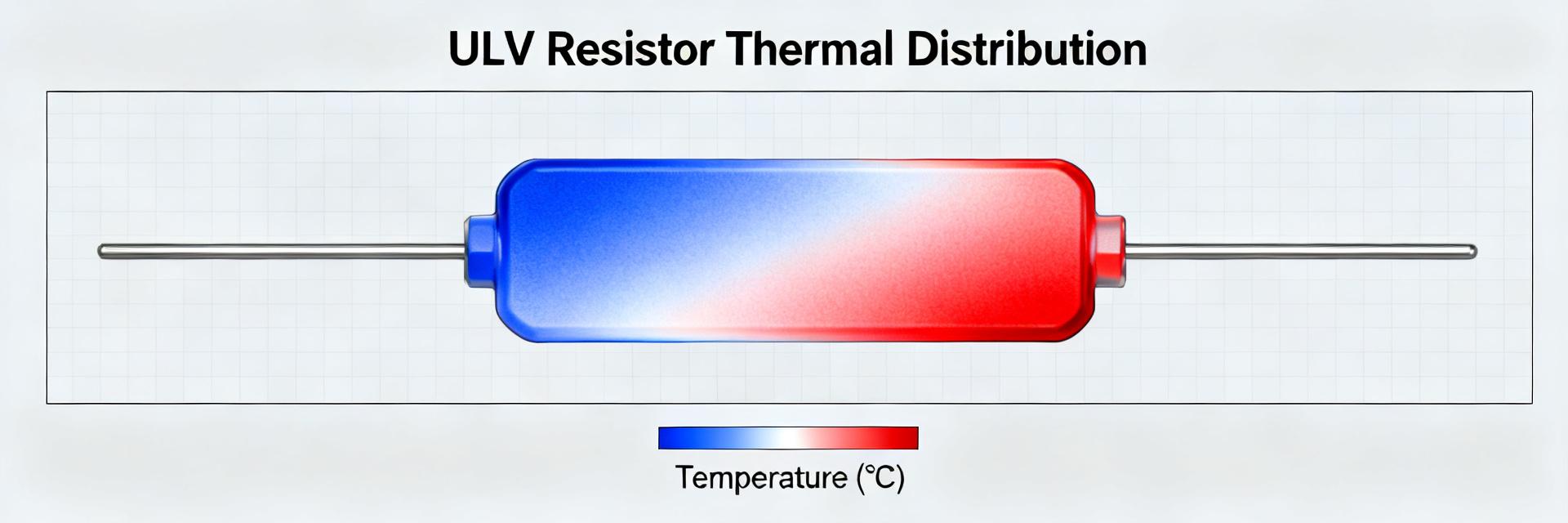
CP2102N-A02-GQFN20R Pinout & Footprint: Quick Data Guide